
The work you keep doing by hand, handled
Workerflow runs your processes, answers your customers and picks up your phone. You decide how much it does on its own, and where a person still signs off.
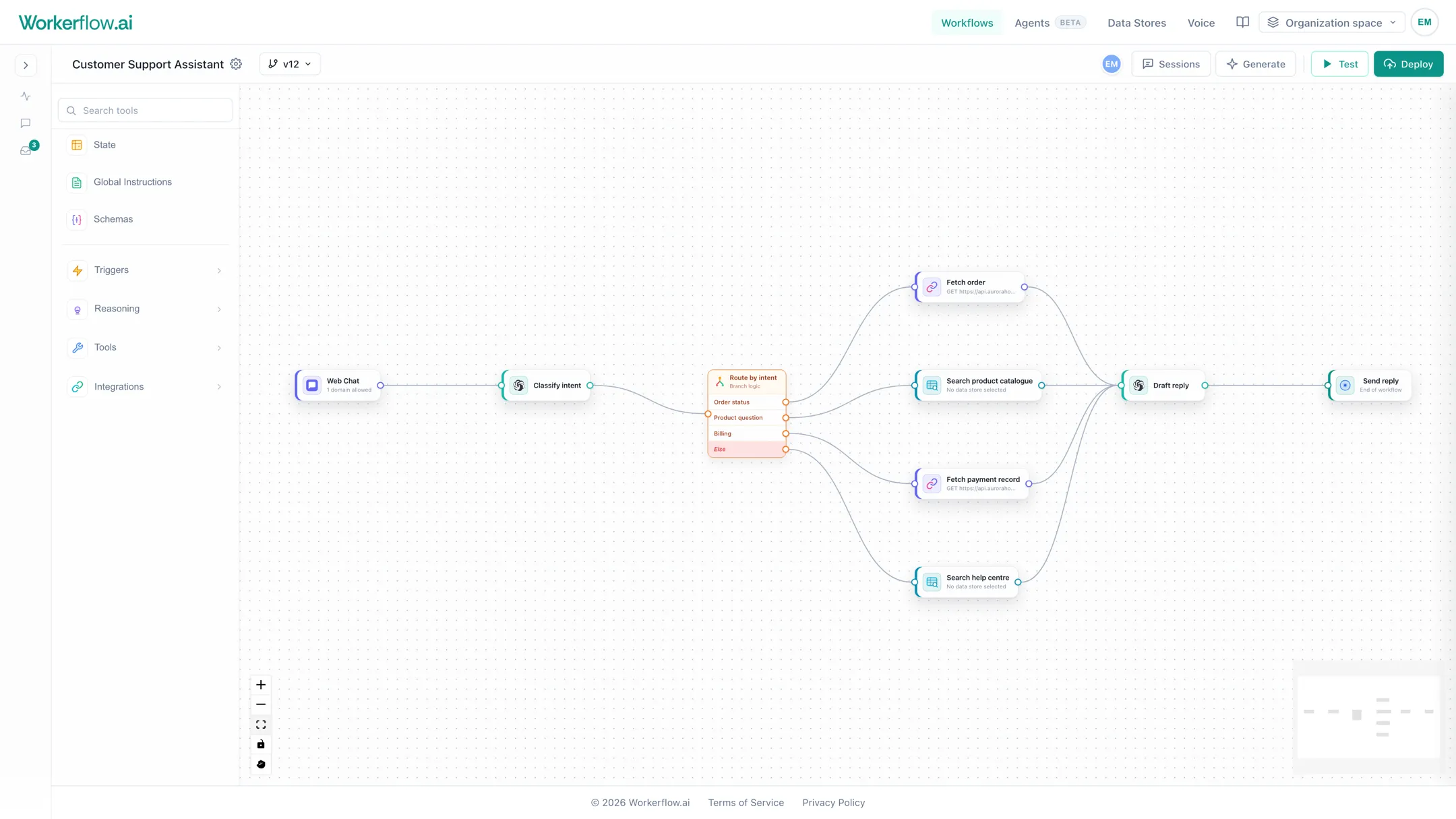
Pick the one that fits the job
Most teams end up using all three. They share the same knowledge, the same connections and the same run history, so nothing is stranded in a corner of the product.
Draw the process, not the code
Drag the steps onto a canvas and join them up. Each step is a thing you already recognise: read the email, look up the order, ask the model, branch on the answer, wait for a person.
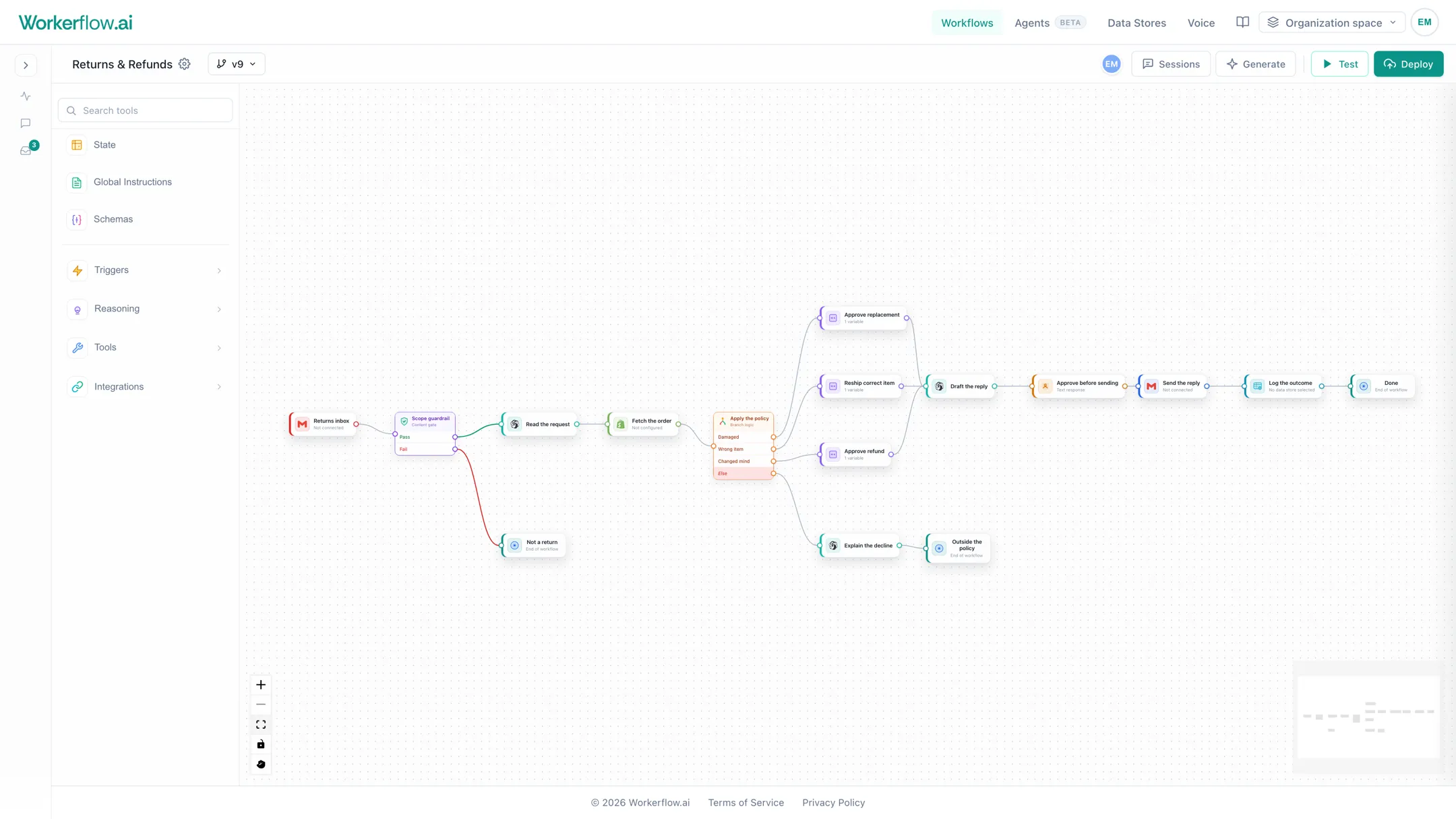
- Branch on anything, and give every branch its own path
- Retries and fallbacks on the steps that talk to other systems
- Test a change on real input before anyone else sees it
- Every version is kept, so you can roll back in a click
Answers from your own data, not the internet
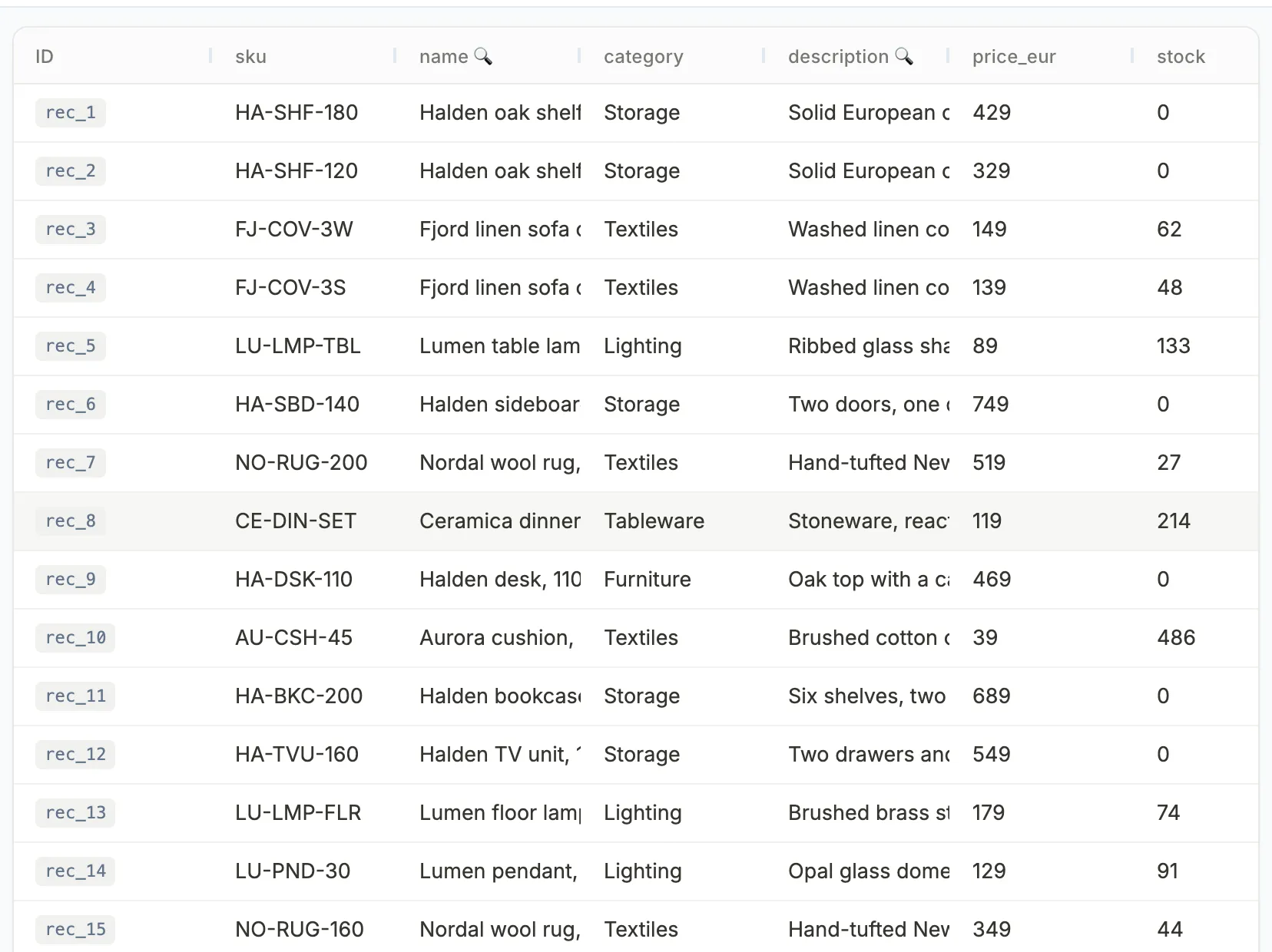
Load your catalogue, your price list, your help centre, your policies. Steps and agents search it in plain language and answer from what they find, so you get your facts back rather than a plausible guess.
- Import a spreadsheet or a CSV, or write records over the API
- Mark the fields worth searching in plain language
- Long documents are split up so the right paragraph comes back
- The same store serves workflows, agents and the phone line
Nothing important goes out without you
Put a person in the middle of any process. The run stops, waits, and shows whoever is on duty exactly what it wants to do. They can approve it, edit it first, or take the conversation over themselves.
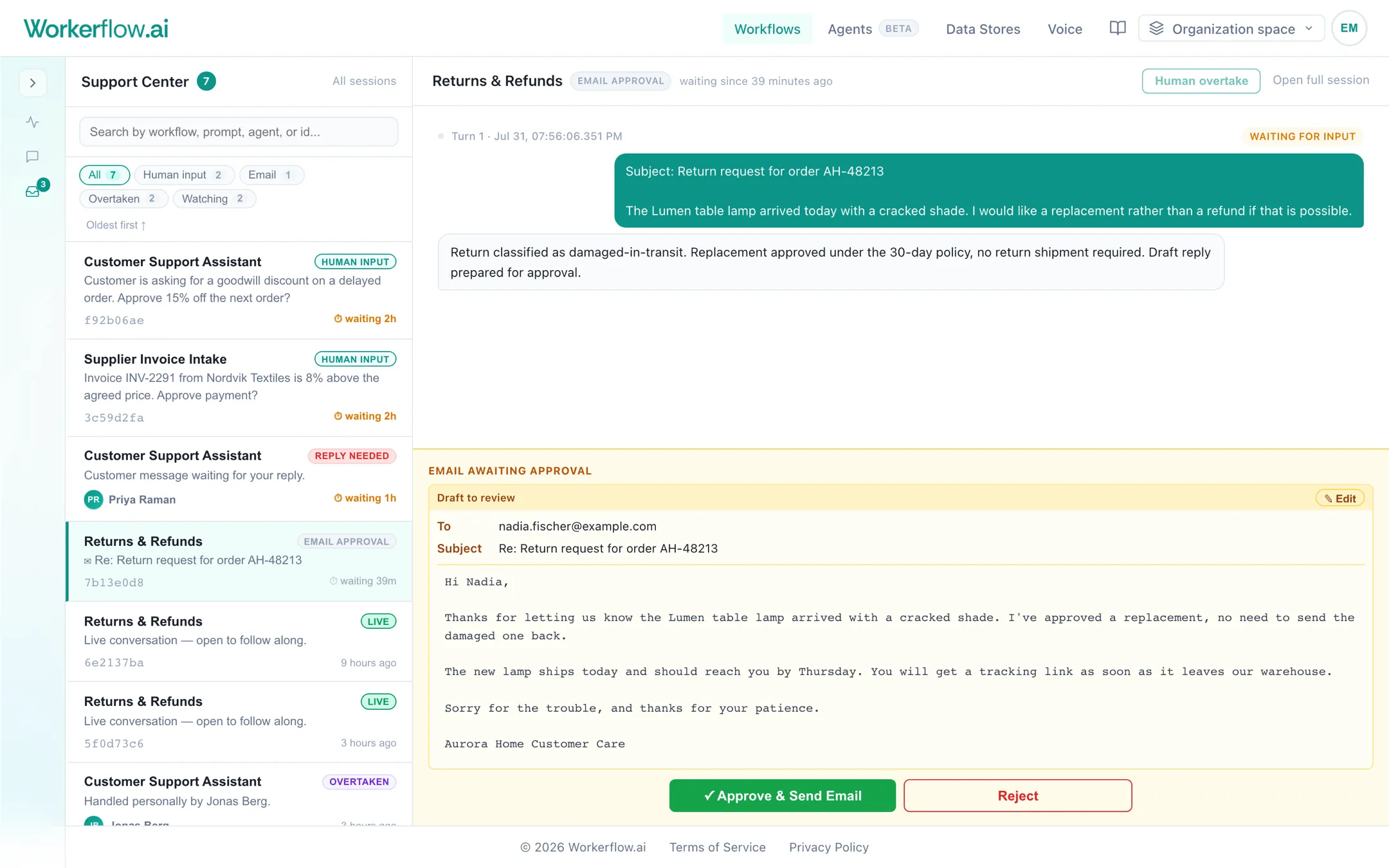
Approve or edit
The draft is shown in full before it goes anywhere. Change a line and send it, or send it back.
Answer a question
A run can stop to ask a person something it cannot decide, then carry on with the answer.
Take it over
A colleague can step into a live conversation, reply personally, and hand it back when they are done.
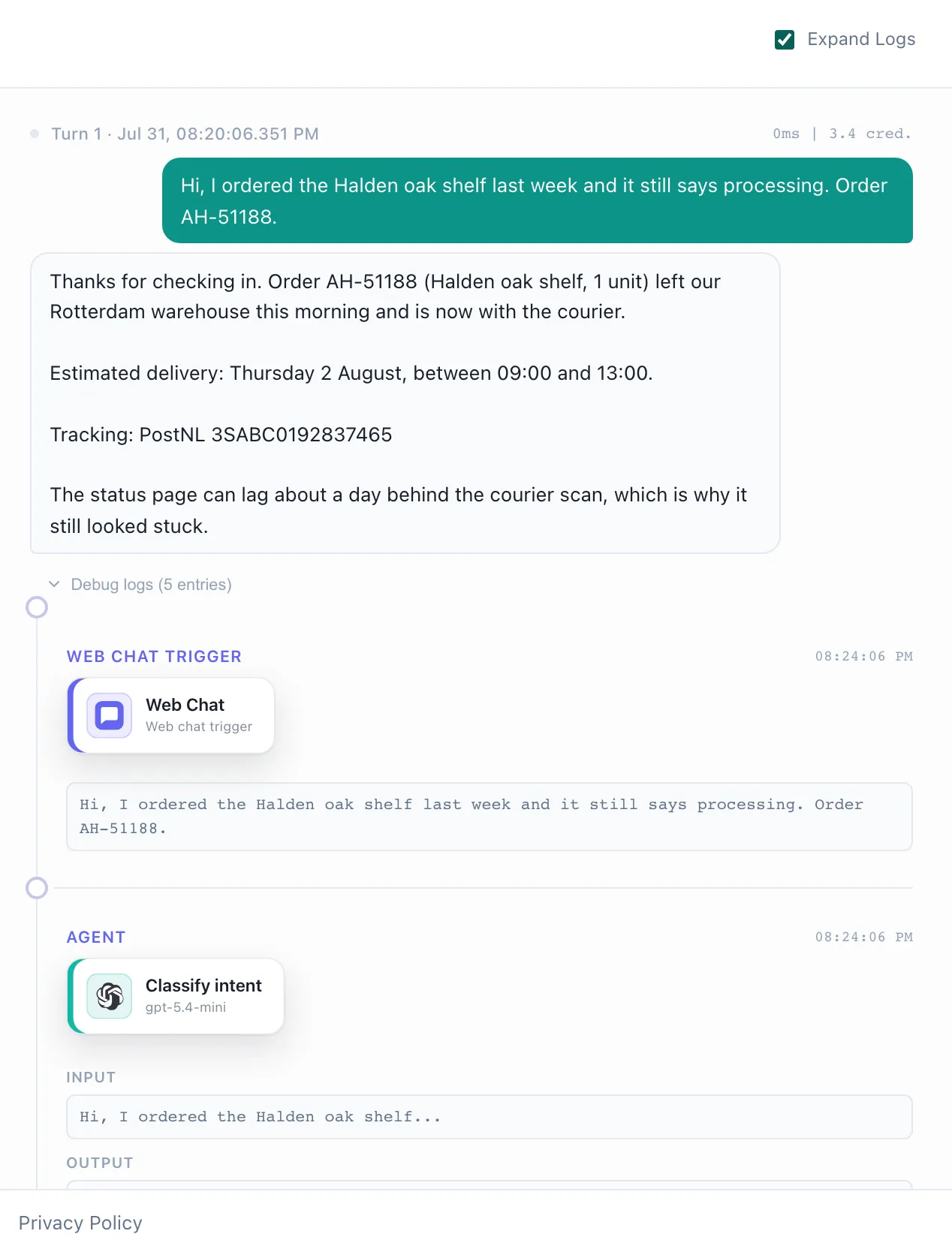
Every run, written down
Open any run and read it back step by step: what came in, what each step was told, what it answered, which branch it took and what it cost. When someone asks why a customer got that reply, the answer is on the screen.
- The full trace of a run, kept for every session
- What each step spent, per turn and per run
- Anything waiting on a person is flagged before it goes stale

For the jobs where the steps are never the same
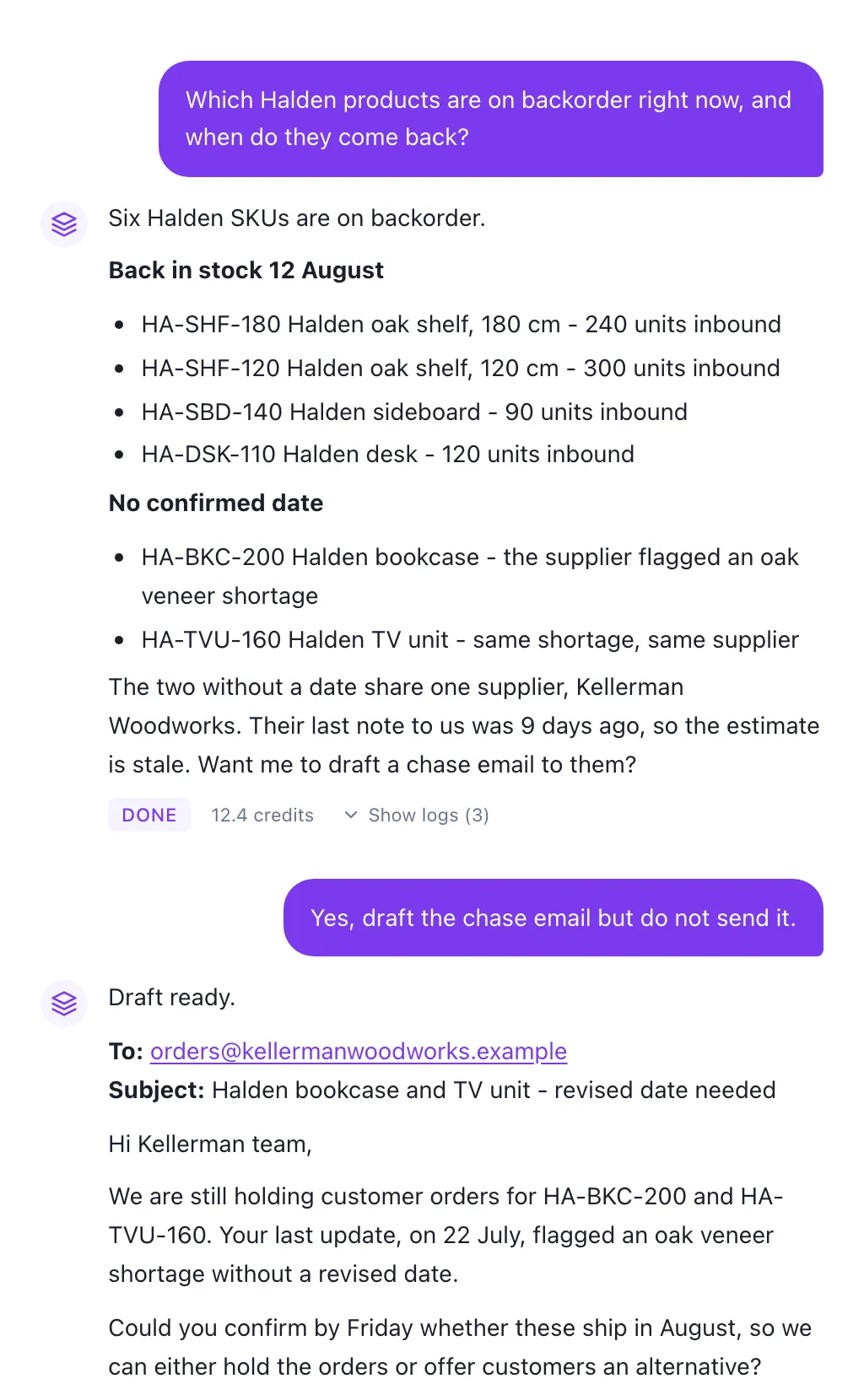
Some work cannot be drawn as a flow chart. Give an agent the goal, the tools it may use and the limits it must respect, and it works out the route itself. It shows its plan, and asks before it does anything you told it to check with you first.
- You choose the tools: your data, your workflows, the web, email
- Mark the risky tools so it has to ask before using them
- A spend ceiling and a time limit on every run
- Run it on a schedule, from an inbox, or from your own systems
It picks up the phone as well
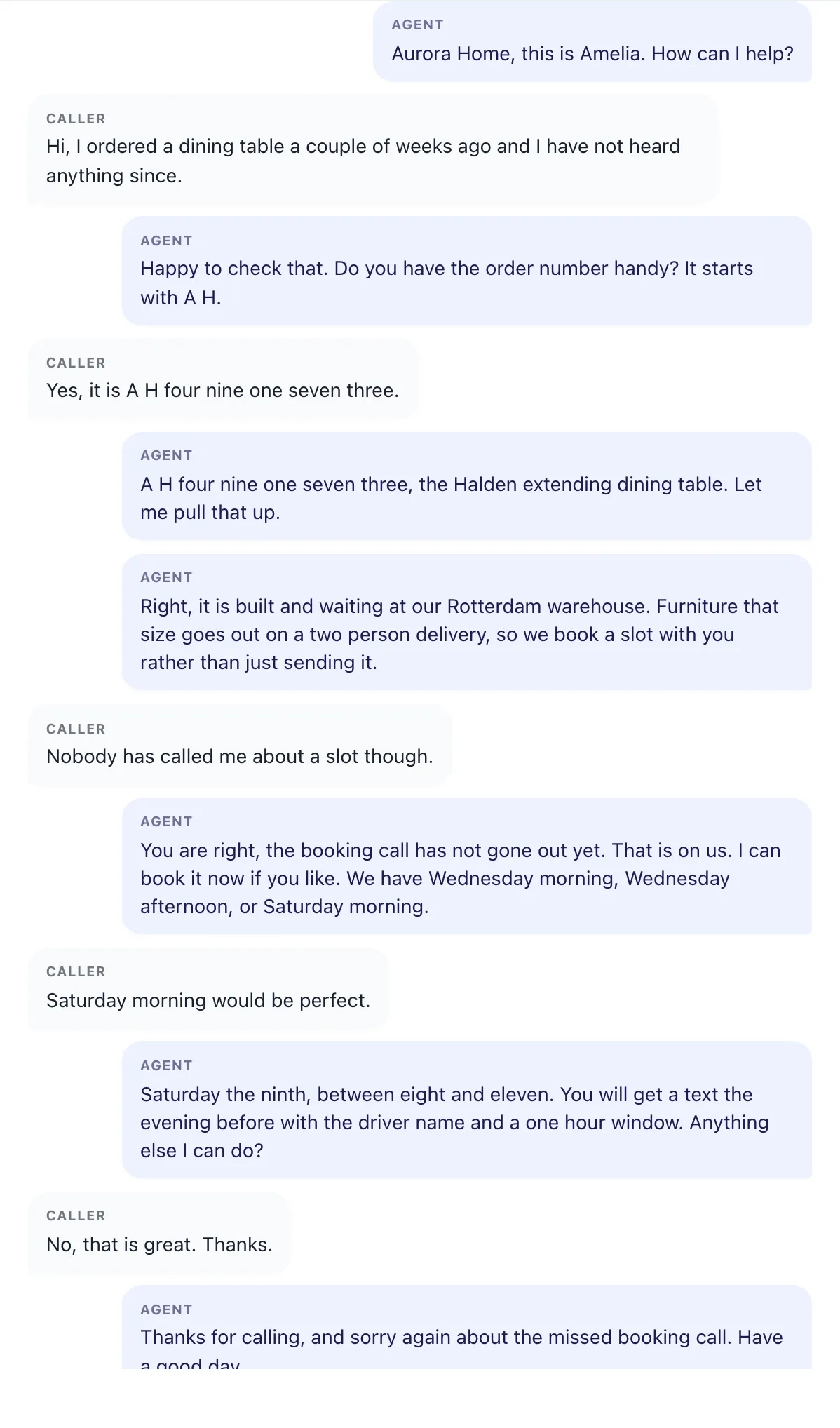
Give it a number and a short brief. It answers in a natural voice, looks things up while the caller is still on the line, books what needs booking, and leaves you a transcript. Out of hours, at lunchtime, during the rush.
- Your own number, or a new one in the country you need
- Answers from the same data your workflows use
- English and Bulgarian, with a voice you pick and hear first
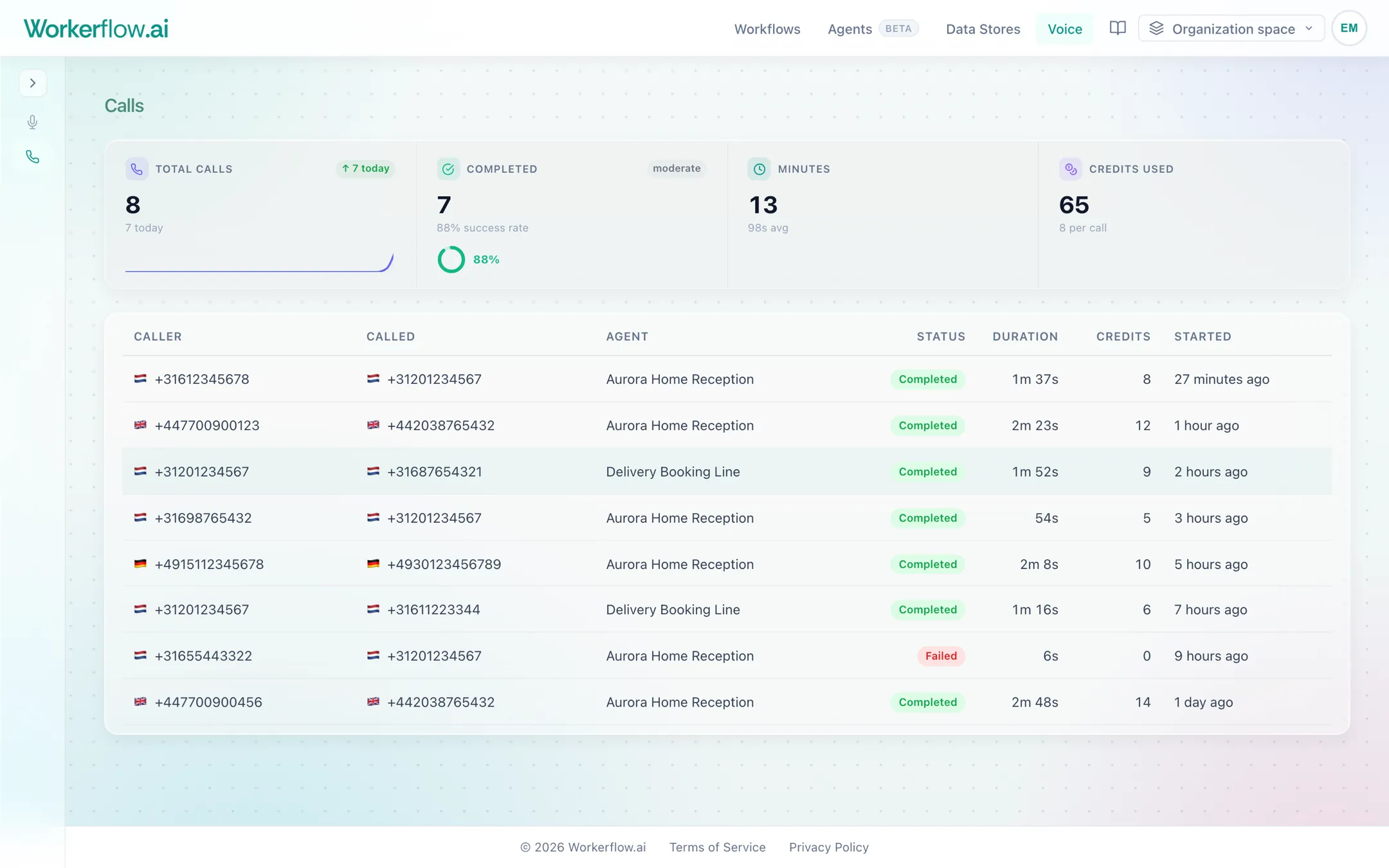
- Every call logged with its transcript, duration and cost
We set the first ones up with you
Most teams start with one process that is costing them hours a week. We sit down with you, map it, build it, and stay on it until it is running properly. After that you can keep building yourself, or leave it with us.
- A working process, not a trial account and a tutorial
- Your systems connected and tested with real cases
- Your team shown how to change it themselves
- Someone to call when something looks wrong
Show us the process you dread
Half an hour on a call is usually enough to tell you whether this is worth doing, and what it would take.